
 By
By 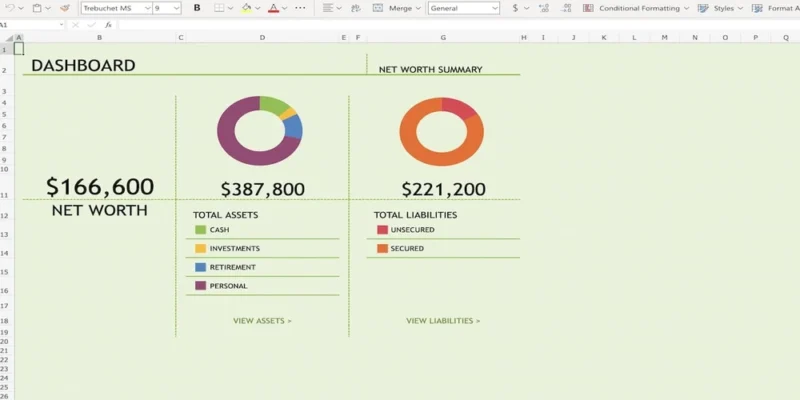
Most people know they should track their net worth, yet few stick with it. The usual reason is a mismatch: the spreadsheet is either too basic to show progress or so complicated that it becomes a chore. Klarmo’s resource library reviews 100 free Excel and Google Sheets templates and sorts them by complexity and capability, which makes the choice much easier. Here is how to use that guide to find a template you will keep using.
Start by Knowing Your Complexity Level
The library groups templates into four tiers, and picking the right one is the most important decision.
- Basic (36 templates): One snapshot of assets and liabilities. Good if you want a quick answer to “what am I worth today?”
- Intermediate (44 templates): Monthly columns, trend charts and month over month change. Ideal if you want to watch your progress over time.
- Advanced (15 templates): Asset allocation, financial independence scores, rebalancing amounts and projections.
- Power user (5 templates): Savings rate, tax treatment, live prices and detailed FIRE calculators.
If you are new to tracking, an Intermediate template is usually the best balance. It gives you history and charts without demanding hours of setup.
Pick the Right File Type
The guide covers 78 Excel templates and 49 Google Sheets templates, and some work in both. Your choice affects how you will use the file day to day.
- Excel suits people who like working offline and want full control of formulas and formatting.
- Google Sheets is easier to open on a phone, share with a partner and update from anywhere.
- Both formats give you flexibility if your habits change later.
Check for the Features That Matter to You
Only a few templates go beyond the basics, so filter carefully. In the library, just 7 templates include expected cash flow or return, 5 support live prices and 3 include transactions. If you hold shares or crypto and want automatic valuations, live prices will save you real effort. If you want to estimate future income from your holdings, look for expected cash flow and return. If most of your wealth sits in property and cash, a simpler layout will serve you well.
Look for Region and Situation Matches
Net worth looks different depending on where you live and how you earn. The library includes templates built for specific countries, with fields for pension schemes, local retirement accounts and native language support. It also lists templates for farm households and for people focused on student loans. A template that matches your tax and account structure needs far less customizing.
Read the Licence and Sign Up Details
Free does not always mean the same thing. Some templates are limited to private use, some require an email address and some are shared under open licences. Every link in the library leads to the author’s own page, so check the terms before you build a system around a file. Klarmo’s own template is free to use and share.
Consider What a Strong Template Includes
Once you compare a few options, you will notice that better templates track more than a single total. Klarmo’s template, for example, offers a dated sheet with assets by type and subtype, plus valuation, liquidity, currency risk, debt and unrealized tax. It also covers expected net return, cash flow per asset, income and expenses. Those details show not just how much you own but how easily you can access it and what it earns.
Build a Simple Routine
A great spreadsheet only helps if you update it. Try this approach:
- Choose a fixed date each month, such as the last day.
- Update every balance in one sitting of about 15 minutes.
- Record the change from last month and note the reason.
- Review your chart each quarter and adjust goals if needed.
Know When to Move Beyond a Spreadsheet
Spreadsheets are a superb starting point, but manual entry can become tiring as your accounts grow. If you find yourself skipping updates or struggling with currencies and multiple asset types, it may be time to look at a dedicated platform. Many people begin with a spreadsheet, then graduate to a smarter Wealth Tracker once their finances outgrow the grid.
Final Thoughts
The best net worth spreadsheet is the one you will actually open every month. Use the complexity tiers to match your experience, filter by file type and features, and check the licence before you commit. With 100 reviewed options to explore, there is a template that fits your situation, and Klarmo’s guide makes finding it a quick job rather than a long search.











Comments